
Tech Addicted Kids | Raising Tech‑Smart, Not Tech‑Addicted Kids: Phones, Gaming, and Social Media by Age (2026 Global Guide)
It’s 11:47 pm. You walk past your child’s room and see the familiar glow: Reels, Shorts, endless scrolling. Or the gaming “one more match” turns into a meltdown when you finally say no. Or WhatsApp group pings keep your tween on edge—afraid they’ll miss something, get excluded, or become the next screenshot.
If you’ve felt confused, guilty, or trapped between “I don’t want to be strict” and “this is taking over our home,” you’re not alone. And this is not an anti‑tech article. Technology is part of childhood now—learning, friendships, creativity, identity, even safety. The goal is not “no screens.” The goal is a child who can use tech with skill, self-control, and support—without losing sleep, mood stability, learning, or family connection.
What you’ll get here: an age-by-age plan, platform-specific strategies (WhatsApp, Instagram/Reels, YouTube/Shorts, online games), practical scripts, and a family tech agreement you can use without turning your home into a daily battleground.
Quick answers (AEO / featured snippets)
Is my child addicted to screens?
Look for impairment, not just hours: worsening sleep, school problems, loss of offline interests, constant conflict, secrecy, and intense distress when stopping. If gaming shows impaired control, priority over other life areas, and continuation despite negative consequences—with meaningful impairment—those themes align with how gaming disorder is described in ICD‑11. [web:81]
How much screen time is healthy by age?
Under 5, WHO guidance emphasizes minimizing sedentary screen time and protecting sleep/active play. [web:58][web:59] For older kids, many pediatric groups now focus less on one perfect number and more on whether screens crowd out sleep, movement, learning, and relationships—using a family media plan to set personalized rules. [web:78]
Are Reels and short videos more addictive?
Short‑video feeds are built for continuous consumption: fast novelty, frequent rewards, and minimal stopping cues. That design can make “just 5 minutes” harder for many kids, especially when tired or stressed. Use “friction” (timers, app limits, bedtime cutoffs) and replace nighttime scrolling with a predictable wind‑down routine.
Is gaming addiction real?
Yes—problematic gaming can become clinically significant for a minority of players. WHO includes gaming disorder in ICD‑11, defined by impaired control, increasing priority, and continuation despite negative consequences. [web:81] Most kids who love games are not “addicted”; the difference is loss of control and life impairment.
Should kids use WhatsApp or Instagram?
It depends on age, maturity, and supervision capacity. Early adolescence (roughly 10–14) often needs extra protections online, and guidance like APA’s advisory emphasizes monitoring, digital literacy, and minimizing exposure to harmful content. [web:71][web:66] If your child uses these apps, prioritize privacy settings, time boundaries, and “no phone in bedroom” sleep protection.
How do I control screen time without fights?
Use predictable structure, not daily negotiations: a family tech agreement, clear “when/where” rules, and calm enforcement. Pair limits with replacements (sports, music, chores, hobbies), and create stopping cues (timers, “end of level,” device docking). Kids fight less when rules are stable and adults model the same boundaries.
Want a Complete, Science-Backed Parenting Framework?
Shyness, anxiety, routines, learning stress, and emotional growth are deeply connected. Our 2026 parenting guide brings everything together in one clear roadmap.
→ Explore the Complete Parenting Guide 2026You’re not “taking away fun.” You’re building your child’s executive skills: stopping, switching, self-regulating, sleeping, and staying connected to real life.
Tech‑smart vs tech addiction: a clear distinction
“Tech‑smart” doesn’t mean your child can set up an iPhone or beat a level. It means they can use technology intentionally—choosing tools that serve learning, creativity, friendships, and wellbeing—while protecting sleep, focus, and self-worth.
What “tech‑smart” actually looks like
- They can stop (most of the time) with predictable prompts.
- They can tolerate boredom and transition to offline life.
- They can name “how tech affects me” (mood, sleep, attention).
- They understand basic digital safety: privacy, scams, screenshots, boundaries.
- They can use platforms for creation and skill-building, not only consumption.
What tech addiction-like patterns can look like in kids
- Loss of control: repeated “just 5 minutes” that turns into hours.
- Escalation: needing more intense content or longer sessions to feel satisfied.
- Withdrawal-like distress: rage, panic, or shutdown when stopped.
- Life impairment: sleep loss, falling grades, lost friendships, quitting other interests.
- Secrecy: hiding devices, second accounts, night scrolling, lying about usage.
Myth: “If I just find the perfect screen-time number, we’re fine.”
Reality: The best rule is “screens must not steal sleep, school, movement, or relationships.”
Many pediatric resources emphasize building a family media plan that fits your child and household needs. [web:78]
The science behind digital addiction (explained simply)
You don’t need a neuroscience degree to understand what’s happening. Many apps and games are built around predictable behavioral principles that keep humans—especially kids—engaged longer than they planned.
1) Dopamine loops (in plain language)
Dopamine is involved in reward learning: it helps the brain notice what feels rewarding and remember “do that again.” When a feed delivers constant novelty—new videos, new jokes, new drama—the brain learns to chase the next hit of “interesting.” Kids are more vulnerable because their self-control systems are still developing and their social world matters intensely.
2) Variable rewards (why “one more” is so powerful)
If rewards are unpredictable—sometimes a hilarious Reel, sometimes boring—your brain keeps checking. This is the same mechanism behind “refreshing” and “just one more scroll.”
3) Infinite scroll and autoplay (no stopping cues)
Traditional activities have natural endpoints: a chapter ends, a show ends, a game at the park ends. Infinite scroll removes those stopping cues, so your child’s brain has to supply the stop signal—often the hardest skill.
4) Social validation triggers (likes, streaks, group pressure)
Social platforms mix entertainment with belonging: likes, comments, views, and group chats signal “Am I accepted?” The American Psychological Association’s advisory highlights concerns about adolescent social media use and emphasizes monitoring and managing use, fostering digital literacy, and promoting healthy online behaviors. [web:66]
5) Why sleep is the first domino
Late-night scrolling and gaming don’t just take time. They can disrupt sleep quality and duration, and poor sleep makes self-control, mood, and attention worse the next day—making screens even more tempting. The CDC describes how sleep affects health and notes that adolescents with parent-set bedtimes usually get more sleep. [web:74]
Daily Routines Can Calm Anxious, Shy Children
Predictable family routines reduce anxiety, increase emotional safety, and help shy children feel confident enough to participate and speak up.
→ Learn How to Build Family Routines That Actually Work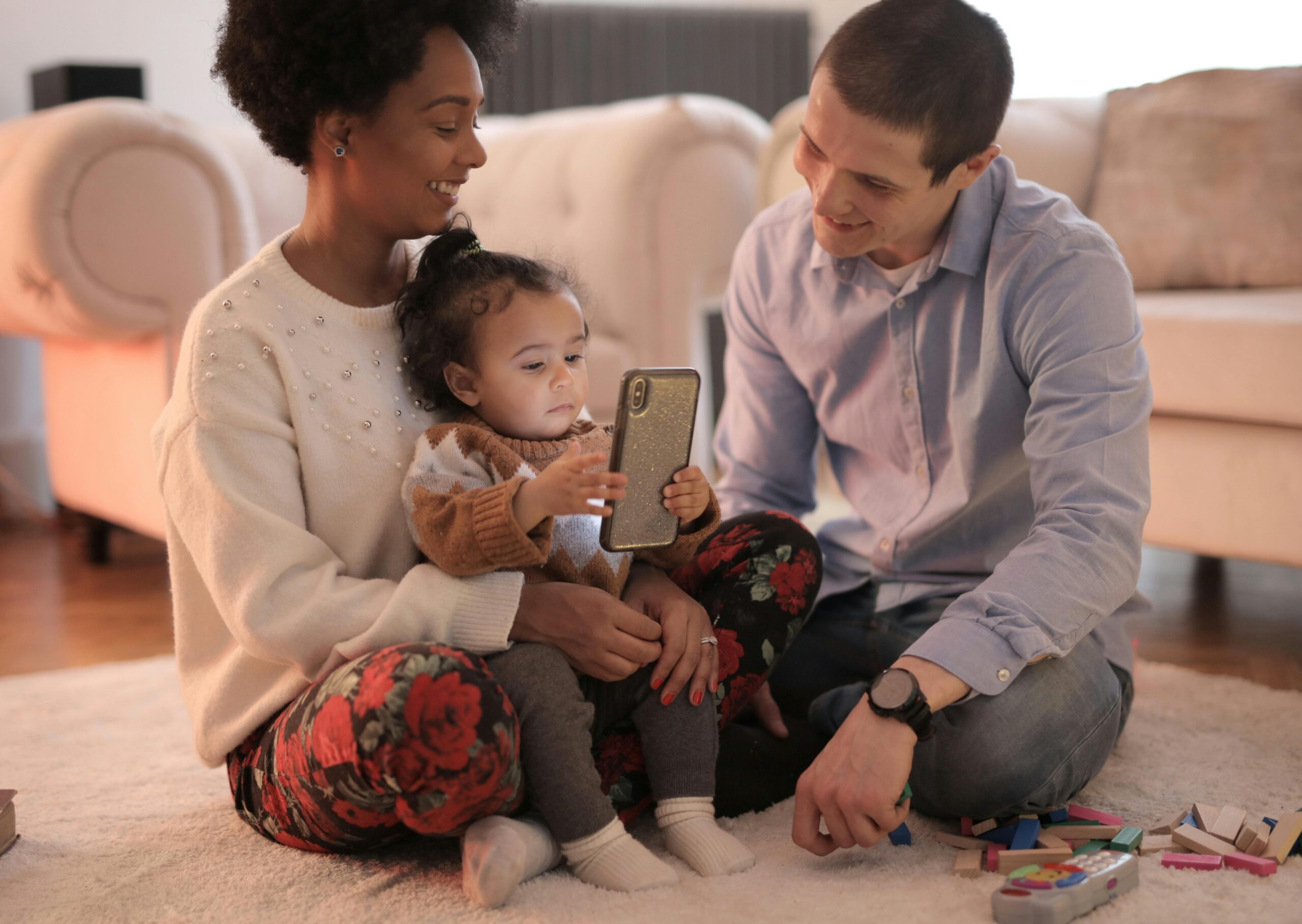
Don’t fight your child’s “willpower.” Change the environment: add stopping cues, reduce nighttime access, and build routines so your child doesn’t have to win a self-control battle every evening.
Image placement: “Dopamine loop” visual
Purpose: explain the habit loop (trigger → craving → behavior → reward → repeat) in parent-friendly terms.
Alt text suggestion: “Simple habit loop diagram showing how short videos and notifications trigger repeat scrolling.”
Phones & screens by age (2026: what’s normal, what’s risky, what works)
Screen guidance works best when it matches development. A toddler needs co-viewing and real-world play. A teen needs autonomy with guardrails, sleep protection, and coaching around social pressure. Below is an age-by-age playbook you can adapt globally (with placeholders for local school policies and laws).
| Age | Main risk | Your best lever | Non-negotiable rule |
|---|---|---|---|
| 0–2 | Displacing sleep + interaction | Environment design | No solo screen time |
| 3–5 | Habit wiring + autoplay | Co-view + short sessions | One short “screen window” only |
| 6–9 | Gaming friction + tantrums | Stopping cues | Screens after responsibilities |
| 10–12 | Group chat pressure + late nights | First-phone rules | No phone in bedroom |
| 13–18 | Social comparison + sleep loss | Autonomy with guardrails | Sleep protected every night |
Ages 0–2: “Limited exposure” means protecting brain wiring and bonding
At this stage, your child’s brain is wiring through real interaction—faces, voices, turn-taking, movement, and sensory play. Screens are not “evil,” but they can crowd out the inputs babies and toddlers learn from best.
WHO guidance for young children emphasizes minimizing sedentary screen time and protecting sleep and active play, especially under age five. [web:58][web:59]
- What’s normal: curiosity about screens, wanting your phone because you have it.
- What’s risky: screens used as the main calming tool, screens during meals, screens replacing play.
- Rules that work: no solo screens, no background TV, video calls with a responsive adult are the best “screen” choice.
Parent script (0–2):
Ages 3–5: YouTube Kids risks, cartoons vs interactive use, and parent-guided rules
Preschoolers can learn from high-quality content, but they still struggle to stop, switch, and regulate after stimulating videos. Autoplay, loud fast edits, and surprise content changes can drive dysregulation (tantrums, whining, “more more more”).
- What’s normal: loving familiar characters, asking for repeats.
- What’s risky: long sessions, autoplay loops, watching alone, watching to fall asleep.
- Rules that work: one daily screen window, co-view whenever possible, and always end on a planned stopping cue (timer + “next activity”).
Is School Stress Making Your Child More Anxious?
Many shy and anxious kids struggle silently with homework pressure, fear of mistakes, and performance stress—often making classroom anxiety worse.
→ Read: How to Reduce Homework Stress & Anxiety in ChildrenWHO’s under‑5 guidelines emphasize reducing sedentary screen time and protecting sleep and active play. [web:59] If you want one “north star” rule at this age: protect sleep and play first, screens second.
Parent script (3–5):
Image placement: preschool “screen with parent”
Purpose: normalize co-viewing and “one screen window” routines.
Alt text suggestion: “Parent and preschool child watching a short educational video together on a tablet.”
Ages 6–9: early gaming habits, school screen spillover, and first messaging exposure
School-age kids can handle rules more logically, but they still get “emotionally hijacked” by games designed for streaks, rewards, and social play. This is the age when many families face the first true power struggles around stopping.
- What’s normal: intense enthusiasm for a game, talking about it constantly, wanting to play with friends.
- What’s risky: rage when stopping, sneaking, lying, refusing meals/homework, sleep slip.
- Rules that work: screens after responsibilities, “end of round/end of level” stopping cues, and device docking when time ends.
Parent script (6–9):
WhatsApp / messaging at this age
For most kids 6–9, constant-access messaging creates more stress than benefit. If messaging is needed for family logistics, consider a locked-down, parent-held device or limited contact list—no large peer groups yet.
Ages 10–12: first phones, group chats, and short‑video risk
Tweens are highly sensitive to belonging. Group chats can feel like “social oxygen,” which makes boundaries emotionally harder—even when kids agree they’re exhausted by it.
- What’s normal: wanting a phone “because everyone has one,” checking group chats often, comparison.
- What’s risky: sleep disruption from late pings, being pulled into drama, cyberbullying, secret accounts.
- Rules that work: first phone is a “training phone” (limited apps), family tech agreement, and no phone in bedroom at night.
Make “phones out of bedrooms” a household norm. Sleep and Health resources from the CDC highlight how sleep supports health, and parent-set bedtimes can help adolescents get more sleep. [web:74]
Parent script (10–12):
Ages 13–18: social media pressure, gaming obsession, sleep/anxiety/attention impacts
Teens need autonomy to learn self-management, but they also need guardrails because platforms are optimized for attention capture. The best teen strategy is not surveillance—it’s transparency, skills, and consistent boundaries around sleep, school, and family time.
- What’s normal: heavy social focus, experimenting with identity, wanting privacy, gaming/socializing online.
- What’s risky: sleep collapse, persistent mood changes, withdrawal from offline friendships, constant comparison, escalated conflict.
- Rules that work: device-free sleep, structured “high-school homework + phone” routines, and periodic tech resets.
APA’s advisory on adolescent social media use emphasizes monitoring and managing use and supporting healthy online behaviors. [web:66] Practically, for teens that looks like: shared expectations, visible device settings, and a home norm that safety beats secrecy.
Parent script (13–18):
Image placement: teen + parent tech conversation
Purpose: visually model calm, collaborative rule-setting (not shaming).
Alt text suggestion: “Parent and teenager discussing a family tech agreement at the kitchen table.”
Apps & platforms deep dive (WhatsApp, Instagram/Reels, YouTube/Shorts, online games)
Parents often try to solve “screen time” as one big problem. But the real drivers are platform-specific: group chats are a social pressure machine; short video is a novelty machine; games are a progression and social status machine. Different engines need different tools.
WhatsApp (groups, pressure, constant access)
WhatsApp itself isn’t the enemy. The risk is the combination of: large groups, constant pings, social status pressure, and screenshots. Kids can feel like they must be “always available,” which erodes attention and sleep.
How it hooks kids: fast feedback loops (“Did they reply?”), fear of missing out, and peer validation.
Warning signs:
- Phone-checking reflex: every few minutes, even during homework or family time.
- Anxiety spikes when messages are unread or someone leaves them on “seen.”
- Sleep disruption from late chats.
- Social drama amplified by screenshots and misinterpretation of tone.
Practical limits & controls:
- “Quiet hours” every night; notifications off; phone docks outside bedroom.
- Group boundaries: no large peer groups before you can handle conflict calmly (usually later than kids think).
- One daily “message window” for younger kids; two windows for tweens; flexible but bounded for teens.
- Teach the “pause before reply” rule: when upset, wait 20 minutes before texting back.
WhatsApp script (tween/teen):
Instagram & Reels (comparison, loops, and identity pressure)
Instagram is not only content; it’s a status arena. Reels adds a short-video engine that favors novelty, speed, and emotional intensity. APA’s advisory emphasizes that adolescent social media habits can affect sleep, self-esteem, and more—highlighting the need for guidance and healthy habits. [web:66]
How it hooks kids:
- Algorithmic feeds tuned to what keeps you watching.
- Social comparison: bodies, lifestyles, “perfect” moments.
- Metrics: likes, views, followers (external validation becomes a scoreboard).
Behavioral warning signs:
- Mood drops after scrolling (“I feel worse but can’t stop”).
- Obsessing over posts, deleting/reposting, chasing likes.
- Sleep sacrifice for scrolling or replying quickly.
Practical limits & controls:
- Time caps for Reels (short-video is often the hardest to self-limit).
- “No scroll zones”: meals, bedrooms, homework blocks.
- Build “creation > consumption” ratio: post a project, don’t just watch.
- Weekly “feed audit”: mute accounts that trigger comparison or distress.
Instagram script (teen):
YouTube / Shorts (autoplay, “one more,” and kid-targeted loops)
YouTube can be an incredible learning library. The danger zone is passive autoplay—especially Shorts—where novelty is continuous and stopping cues are minimal.
How it hooks kids: autoplay, recommended videos, short bursts of novelty, and “surprise” content shifts.
Practical controls:
- Use playlists you choose (not open-ended browsing).
- Disable autoplay where possible; avoid Shorts for younger kids.
- Watch in shared spaces; no YouTube in bed.
- Use “two-step stopping”: timer → finish current video → device docks.
YouTube script (6–12):
Online games (Fortnite-style, mobile games, social play)
Games are powerful because they combine: progression (levels), competence (skill), social belonging (friends), and status (rank/skins). This is not automatically harmful—games can be social and strategic—but limits must match the game’s design.
How games hook kids:
- Variable rewards (loot, wins, drops).
- Social obligations (“My team needs me”).
- Events and daily tasks that create pressure to log in.
Controls that work in real life:
- Stop on a natural boundary: end of match/round, not mid‑match.
- Time windows, not endless access (especially on school nights).
- “Earning” time through responsibilities (homework, exercise, chores).
- Phone-free sleep: fatigue worsens impulse control and meltdowns.
Image placement: screen-free family activity
Purpose: show what replaces screens—connection, movement, competence.
Alt text suggestion: “Family cooking together in the evening with phones away.”
Gaming addiction vs healthy gaming (what it actually is, and how to reset habits)
Many parents confuse “enthusiastic gaming” with addiction. Love and obsession can look similar in hours, but they feel different in behavior, flexibility, and life impact.
What gaming addiction actually is (simple definition)
WHO’s ICD‑11 describes gaming disorder as a pattern of gaming characterized by impaired control, increasing priority given to gaming over other activities, and continuation or escalation despite negative consequences. [web:81] The key idea is meaningful impairment—school, sleep, health, family life, or relationships.
Healthy gaming often looks like this
- Your child can stop with a predictable cue (timer, end of match) most days.
- Gaming fits around sleep, school, movement, and family connection (it doesn’t replace them).
- Your child can still enjoy offline interests (sports, books, friends, hobbies).
- Emotions are manageable when gaming ends (mild disappointment, not explosive rage).
- Your child can talk about the game without secrecy and can tolerate “no” sometimes.
Red flags (gaming is shifting from hobby to harm)
Hours alone don’t equal addiction. The “red flag cluster” is loss of control + priority + harm. WHO describes gaming disorder in ICD‑11 as impaired control, increasing priority, and continuation or escalation despite negative consequences, with significant impairment.
- Impaired control: repeated failed attempts to cut back; “I can’t stop” feels true.
- Priority shift: gaming crowds out sleep, hygiene, meals, homework, and friendships.
- Continuation despite harm: still plays even when grades fall, health suffers, or family life is in crisis.
- Withdrawal-like distress: intense anger, panic, or shutdown when access ends (beyond typical disappointment).
- Secrecy: sneaking devices, lying, hidden accounts, night gaming.
If your child melts down when you stop gaming, it’s not proof they’re “bad” or you’re “weak.” It often means the game is doing its job: keeping players engaged through rewards, social pull, and “one more” momentum. Your job is to add structure and stopping cues—calmly, consistently.
Time limits vs behavior-based limits (what works better)
Time limits are necessary, but behavior-based limits prevent the most common trap: a child “earns” hours while behavior and wellbeing deteriorate.
| Type of limit | Example rule | Why it helps |
|---|---|---|
| Time-based | 60 minutes on school days, 90 minutes on weekends | Clear boundary; easy to enforce |
| Boundary-based | Stop at “end of match/round” only | Reduces mid-game rage and bargaining |
| Responsibility-based | Screens after homework, movement, and chores | Protects priorities; reduces “screen-first” thinking |
| Sleep-based | No gaming after 8:30 pm; devices dock outside bedrooms | Sleep is the first domino; CDC highlights sleep’s role in health. |
| Behavior-based | If you stop calmly today, you keep full time tomorrow; if you melt down, time is reduced | Rewards regulation, not just playing |
How to reset unhealthy gaming habits (a practical 14-day approach)
Think “reset,” not “punishment.” The goal is to rebuild stopping skills, restore sleep, and expand offline life. If your home has become a daily war zone, start with structure and predictability.
- Days 1–3: Sleep protection first: devices dock outside bedrooms; consistent shutoff time.
- Days 4–7: Reduce access windows: shorter sessions, only after responsibilities, stop at natural boundaries.
- Days 8–10: Add replacement “dopamine”: exercise, building projects, music, cooking, art, outdoor play (daily).
- Days 11–14: Rebuild autonomy: your child helps choose limits and tracks their own stopping success.
Reset conversation script (6–16):
Image placement: “healthy gaming” moment
Purpose: show balanced gaming with stopping cues (timer, end of match) and positive transition.
Alt text suggestion: “Child turning off a game calmly after a timer and moving to homework.”
What doesn’t work (and why it backfires psychologically)
Most parents try “the obvious” first—then feel like failures when it doesn’t work. You’re not failing. Some common approaches backfire because they increase secrecy, shame, or power struggles.
Blanket bans (without a plan)
Sudden bans can reduce use short-term, but they often increase obsession, bargaining, and sneaking—especially if screens are your child’s main social outlet. If you need a ban for safety, pair it with a replacement routine and a “return plan.”
Constant monitoring (surveillance parenting)
Some monitoring is appropriate, but surveillance without trust-building pushes kids toward hidden accounts and secret devices. The goal is transparency and skills—not turning your child into a better liar.
Power struggles at the moment of stopping
Arguing at shutoff time trains both of you for escalation. Replace “debate” with a routine: timer → end of level → dock → next activity.
Shaming, threats, or moral panic
Shame increases secrecy and makes kids use screens to escape stress. You can be firm without fear-mongering: focus on sleep, mood, school, and safety as non-negotiables.
You’re not “fighting screens.” You’re protecting the foundations that make your child resilient: sleep, movement, learning, relationships, and self-respect.
Tech‑smart parenting strategies (step-by-step, 2026‑realistic)
The families who succeed long-term are not the strictest. They’re the most consistent, the most structured, and the most willing to model boundaries themselves.
Step 1: Create a family tech agreement (the “rules without fights” core)
Put rules in writing and make them predictable. The American Academy of Pediatrics (AAP) recommends using a Family Media Plan to help families make wise media choices and revise as needed.
The AAP Family Media Plan is designed to help families create personalized expectations that reflect health, education, and entertainment needs.
External link:
AAP Family Media Plan (HealthyChildren.org).
Step 2: Set “when/where” rules before “how much” rules
“When/where” rules reduce conflict because they remove negotiations from emotional moments. Start with these high-impact boundaries:
- No phones in bedrooms at night (sleep protection).
- Screen-free meals (connection and appetite regulation).
- Homework block first (reduce multitasking and procrastination).
- One “scroll window” (short video is hardest to self-limit).
Step 3: Add friction (the “design beats willpower” principle)
Friction means making the unhealthy default slightly harder and the healthy default slightly easier. This is how you stop nightly fights without relying on lectures.
- Docking station in a public place (kitchen/living room).
- Timers that are visible (not hidden on your phone).
- Autoplay off; playlists on (especially YouTube).
- Notifications off by default; only essential contacts allowed.
- “One hour before bed” becomes a protected low-stimulation routine; APA notes limiting social media so it doesn’t interfere with sleep and physical activity.
Step 4: Model the rules (yes, it matters)
Kids don’t learn self-control from speeches. They learn it from what the home makes normal. If parents scroll during dinner while telling kids to stop, children learn one message: “Power decides rules.”
Modeling script:
Step 5: Use gradual detox (not a shock cut) for older kids
For tweens and teens, a sudden “digital cleanse” can increase rebound use. Gradual detox works better: first protect sleep; then reduce short-video; then rebuild offline routines.
| Order | Change | Why this first |
|---|---|---|
| 1 | Phones dock outside bedrooms | Sleep improves fast; self-control improves next day. |
| 2 | Short-video limits (Reels/Shorts window) | Most “time loss” comes from infinite scroll |
| 3 | Gaming windows + stop cues | Reduces meltdowns; protects school nights |
| 4 | Notifications and groups cleanup | Reduces anxiety and constant checking |
| 5 | Replace with identity-building offline routines | Prevents rebound; builds resilience |
Weekly tech reset plan (repeatable)
- Sunday (15 minutes): family review—what went well, what was hard, what rule needs adjustment.
- Mon–Thu: school-night structure—homework block, limited gaming, dock time, wind-down routine.
- Friday: “social tech night” with boundaries—friends, games, and fun with an end time.
- Saturday: long offline block—sports, outdoors, family project (screens later, not first).
Image placement: family tech agreement moment
Purpose: normalize collaborative boundaries.
Alt text suggestion: “Parent and child writing a family media plan on paper at home.”
School, home & social life balance (homework, online learning, peer pressure, sleep)
In 2026, “screen time” includes homework platforms, messaging about school, and social life. The goal is not to pretend school doesn’t require screens; it’s to prevent school screens from spilling into all-night scrolling.
Homework + screens: build a simple workflow
- Do schoolwork in a shared space when possible.
- Use “focus mode” (notifications off) during homework blocks.
- Separate devices: if possible, homework on one device, entertainment on another (reduces “tab-switching”).
- Build a “done ritual”: close laptop, pack bag, dock phone—then leisure screens if allowed.
Online learning fatigue: protect recovery time
When kids do online schoolwork, their brain still needs offline recovery: movement, sunlight, face-to-face conversation, and boredom. Treat offline time as brain hygiene—not a reward you might or might not give.
Peer pressure management (WhatsApp groups, streak culture, “everyone has it”)
Kids often say they “need” constant access because of social fears: missing plans, being excluded, losing streaks. Help them externalize the pressure: it’s not just them—it’s how systems are designed.
Peer pressure script (10–16):
Sleep protection strategies (the highest ROI change)
If your child’s screen use is harming sleep, fix sleep first. CDC sleep guidance explains sleep’s role in health and notes parent-set bedtimes can help adolescents get more sleep. APA’s advisory recommends limiting social media so it doesn’t interfere with sleep and physical activity.
- Device docking outside bedrooms.
- “One hour before bed” screen-down routine (shower, reading, quiet music, journaling).
- Lights dim, predictable schedule, same wind-down steps most nights.
- If teens must use phones for alarms, use a basic alarm clock instead.
When to worry & seek help (habit vs addiction)
Many kids go through “high-use phases.” The question is: can they flex back when life requires it? Seek help when screens become a persistent driver of impairment and conflict—not just annoyance.
Checklist: consider professional support if you see
- Persistent sleep loss despite clear rules and docking.
- Grades or school attendance declining linked to screens.
- Loss of interest in offline life for weeks/months.
- Severe meltdowns or aggression around stopping.
- Secrecy, lying, hidden accounts, night use.
- Mood deterioration: irritability, anxiety, low mood, social withdrawal.
- Gaming pattern consistent with impaired control and continued use despite harm (ICD‑11 framing).
Who to consult (global)
- Pediatrician/primary care: sleep, mood screening, referrals.
- Child psychologist/therapist: habit change, emotional regulation, family conflict patterns.
- School counselor: peer issues, cyberbullying, learning/attention support.
- Specialist services: if gaming disorder or severe functional impairment is suspected.
A structured plan: sleep protection, reduced access, skills for emotion regulation, family agreement, and rebuilding offline rewards. If a teen is highly engaged on social media, sleep rules may need to be paired with broader changes (content, time windows, and stress coping).
Real-life case examples (3)
These are realistic composites (details changed). They show the process: small steps, consistent rules, and fewer fights over time.
Case 1: Gaming-obsessed child (age 9)
Situation: After-school gaming stretched into late nights. Stopping caused screaming and hitting. Homework became a daily battle.
Intervention: Parents shifted to a predictable routine: homework + snack + outdoor play first, then 45 minutes gaming. Stop cue changed to “end of round,” with a visible timer and device docking. Sleep protected by “no devices in bedrooms.”
Outcome: Meltdowns dropped within 2 weeks. After 6 weeks, child could stop most days with a reminder. Parents increased weekend time slightly as regulation improved.
Case 2: Social media anxious teen (age 15)
Situation: Teen scrolled Reels nightly until 1–2 am, woke exhausted, felt “ugly” and anxious, and argued constantly about phone removal.
Intervention: Family started with sleep protection: phone docked outside bedroom; wind-down routine. Teen chose a Reels time cap and did a weekly “feed audit” (muting triggering accounts). Parent took a coaching stance, aligning with APA-style recommendations to manage use and protect sleep and physical activity.
Outcome: Sleep improved within days; mood improved over 3–4 weeks; conflict reduced because rules were stable and predictable.
Case 3: Younger child with YouTube dependence (age 4)
Situation: Preschooler demanded YouTube during meals and tantrumed when videos ended; bedtime required a phone.
Intervention: Parents replaced autoplay with a short playlist, co-viewed, and used one screen window daily. Bedtime screens ended; soothing routine introduced (bath, book, cuddle, same order nightly). Parents used WHO under‑5 priorities: sleep and active play protected first.
Outcome: Tantrums peaked for 3 days, then decreased; child began asking for books and play instead of the phone after 2–3 weeks.
FAQs (AEO optimized: People Also Ask + voice search)
Each answer is intentionally short (about 40–70 words) for snippets and AI summaries.
How do I know if my child is addicted to the phone?
Look for impairment and loss of control: sleep disruption, school decline, constant conflict, secrecy, and inability to stop even with clear rules. If screens consistently take priority over life basics (sleep, meals, relationships) and problems persist for months, it may be more than a habit.
How much screen time is OK for under 5?
Global guidance emphasizes protecting sleep, movement, and active play and minimizing sedentary screen time under age five. WHO’s guidance includes limits on sedentary screen time and prioritizes healthy routines such as sleep and physical activity.
Are Instagram Reels and YouTube Shorts more addictive than videos?
Short-video feeds remove stopping cues and deliver rapid novelty, which can make self-limiting harder—especially at night or when stressed. Use “friction”: set time caps, turn off autoplay, and protect bedtime. APA advises limiting social media so it doesn’t interfere with sleep and physical activity.
Is gaming disorder real?
Yes. WHO includes gaming disorder in ICD‑11 and describes it using patterns like impaired control, increasing priority, and continued gaming despite negative consequences, with significant impairment. Most kids who love games are not disordered; the difference is loss of control and life impact.
Should my child use WhatsApp?
If WhatsApp is needed for family logistics or school communication, keep it limited: essential contacts only, notifications controlled, and no bedroom access at night. For younger kids, avoid large peer groups; for tweens/teens, use quiet hours and message windows to reduce constant checking.
How do I stop fights when screen time ends?
Reduce negotiations at the moment of stopping. Use a visible timer, stop at a natural boundary (end of match/video), and dock the device in the same place every time. Link screen time to regulation: “If stopping is calm today, you keep full time tomorrow.”
Should phones be allowed in bedrooms?
For most families, no—especially for tweens and teens. Sleep is the highest-return boundary, and CDC sleep resources emphasize the health impact of sleep. APA’s advisory also notes that social media use should be limited so it doesn’t interfere with sleep and physical activity.
What is the best “first phone” rule?
Treat the first phone like a training tool: limited apps, clear docking time, and a written family tech agreement. Start with “when/where” rules (no phone in bedroom, screen-free meals) before expanding access. Consider using an AAP-style Family Media Plan to document rules and revise over time.
Do I need parental controls?
Parental controls help most when they support a relationship-based plan: predictable boundaries, transparency, and coaching. They cannot replace conversations about safety, screenshots, peer pressure, and self-worth, especially on social media.
When should we seek professional help?
Seek help if screen use is causing significant impairment: persistent sleep loss, school decline, severe conflict or aggression, secrecy, or mood changes. If gaming shows the ICD‑11 pattern (impaired control, priority, continuation despite harm), consult a pediatrician or mental health professional for assessment and support.
Printable takeaways (copy, save, or print)
Screen rules by age (quick chart)
| Age | Rule set | What to watch |
|---|---|---|
| 0–2 | No solo screens; video calls OK; no background TV | Sleep/play displacement |
| 3–5 | One screen window; co-view; playlists not autoplay | Tantrums after screens; bedtime dependence |
| 6–9 | Screens after responsibilities; stop at end of level/match | Rage at stopping; sneaking |
| 10–12 | Training phone; quiet hours; no bedroom phones at night | Group chat anxiety; sleep loss |
| 13–18 | Autonomy + guardrails; sleep protected; weekly reset | Mood shifts; comparison distress |
Tech detox checklist (gentle, not extreme)
- Dock devices outside bedrooms (start here).
- Turn off autoplay; use playlists you choose (especially YouTube).
- Set one daily short-video window (Reels/Shorts).
- Notifications off by default; essential contacts only.
- Create a screen-free replacement block (movement, hobby, family task) every day.
- Review and revise the family tech agreement weekly (15 minutes).
What to say / what not to say
What to say
“I’m not anti-tech. I’m pro-sleep and pro-health.”
“The rule is stable; I’ll help you stop.”
“You can be upset and still dock the phone.”
“Let’s choose the limit together: time cap or quiet hours.”
What not to say
“You’re addicted and ruining your brain.”
“Because I said so” (as the only reason).
“I’ll take it forever” (unless it’s a safety emergency).
“Everyone else’s parents are better.”
7-day digital reset plan (starter version)
- Day 1: Choose 2 non-negotiables (dock at night, screen-free meals).
- Day 2: Add friction: timers + stop at boundary (end of match/video).
- Day 3: Replace: 30–60 min offline block before leisure screens.
- Day 4: Short-video window only (Reels/Shorts).
- Day 5: Group chat cleanup: quiet hours + notification reset.
- Day 6: Family media plan draft (write rules and consequences).
- Day 7: Review + adjust; celebrate effort; choose next week’s goal.
Trust-building conclusion (balance, not perfection)
Raising tech-smart kids in 2026 isn’t about winning a daily battle against phones. It’s about building skills and values: sleep, focus, relationships, creativity, safety, and self-respect.
Your child doesn’t need you to be perfect. They need you to be steady: clear rules, calm enforcement, and genuine curiosity about their digital world. When you protect sleep (especially with no phones in bedrooms) and reduce infinite-scroll exposure, many families see less conflict and more emotional stability.
Suggested related guides to link internally:
• “Family Media Plan Template (Printable + Examples)”
• “Teen Sleep & Screens: A Parent Plan”
• “Cyberbullying & Group Chats: What to Do (WhatsApp/Instagram)”
• “Gaming Limits That Actually Work (By Age)”
• WHO under‑5 screen/sedentary guidance: WHO news summary
• WHO gaming disorder Q&A: WHO Q&A
• CDC sleep guidance: CDC Sleep and Health
• AAP Family Media Plan: HealthyChildren.org media tools
• APA social media advisory: APA advisory